Skip to content
MELLOW / WORKSPACE AND SDK

Your agent workspace.
Your developer toolkit.

Mellow brings Visca’s agent capabilities into a personal and development workspace and SDK. Work with models, memory, knowledge, tools, and permissions in one place, or build your own application. The workspace is free forever for personal use.

Explore Mellow
Mellow desktop app
01 / ON YOUR MAC Start today
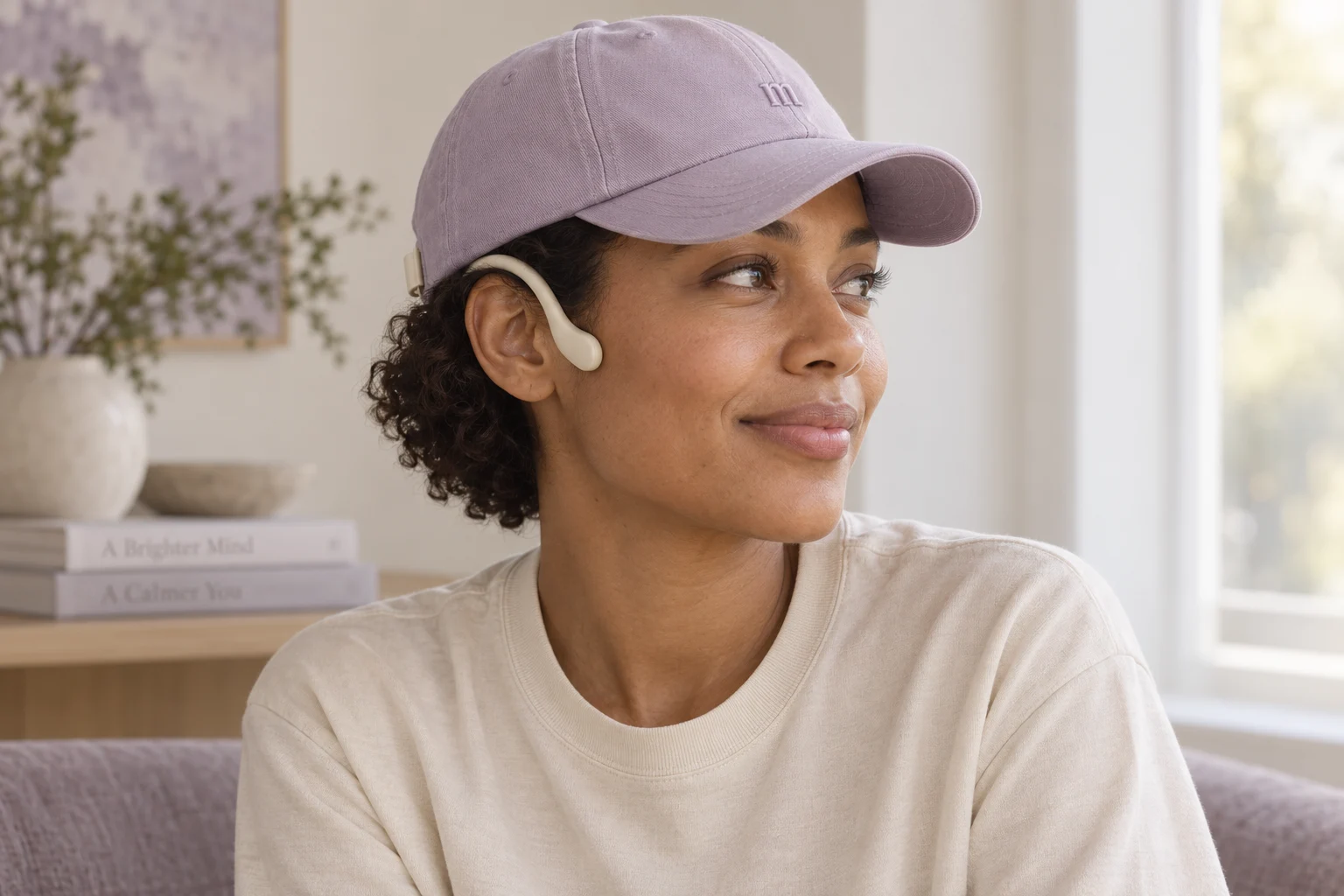
Concept illustration of a person wearing a lilac Mellow cap
02 / INTO YOUR EVERYDAY Cap concept · Planned Q2 2027
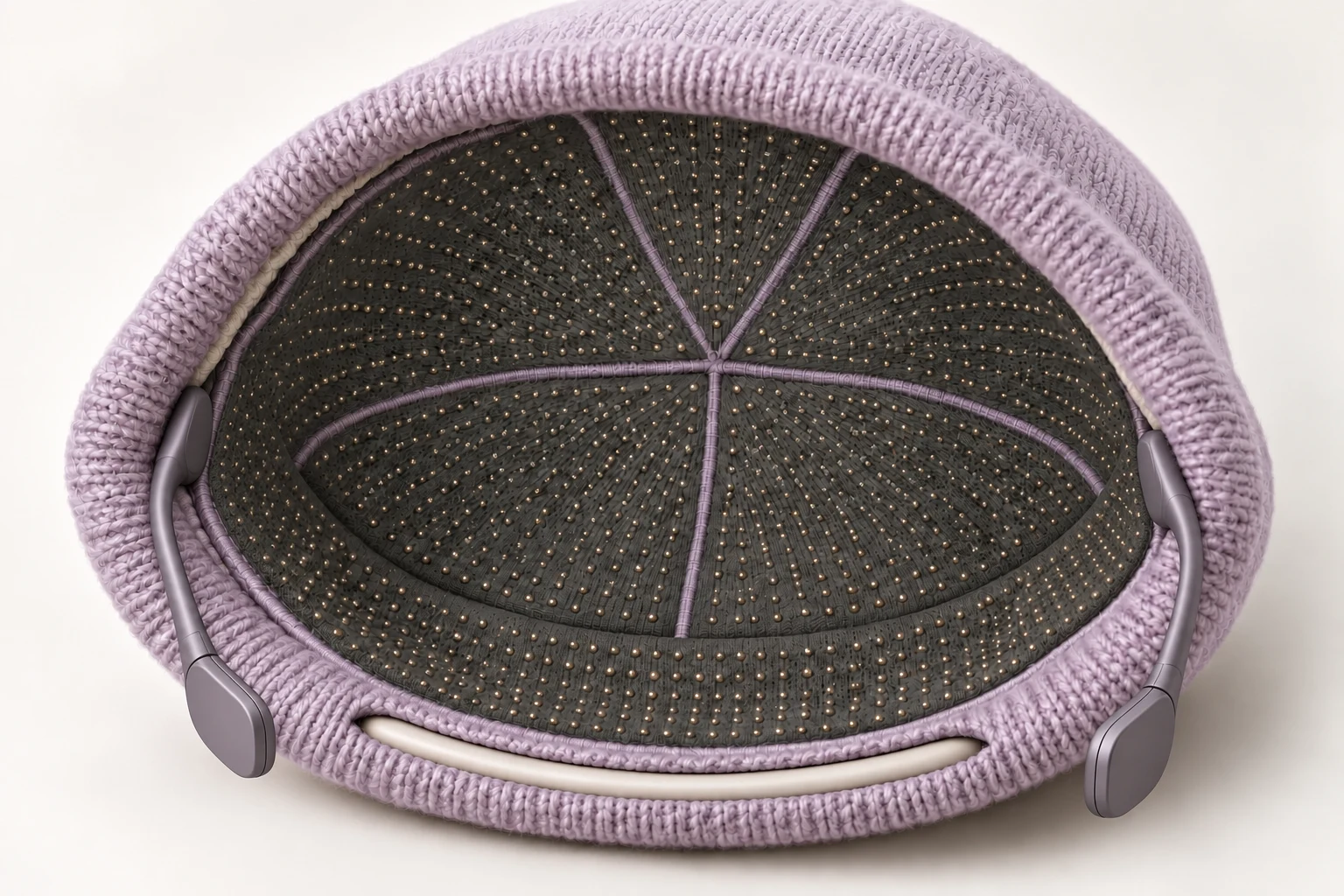
Dense sensing liner concept inside Mellow Cap
03 / A CLOSER CONNECTION Limited preview
START HERE

Put your agent to work.
Keep the decisions yours.

Use the Mac app to give direction, share context, and inspect what your agents do. Configure supported voice and model providers for the interaction you want. Review the controls and requirements before connecting tools.

AVAILABLE NOW

Mellow for Mac

The desktop starting point for interacting with your agents. Bring conversation, supported voice features, files, and visible task controls together. Model and provider setup determines available capabilities.
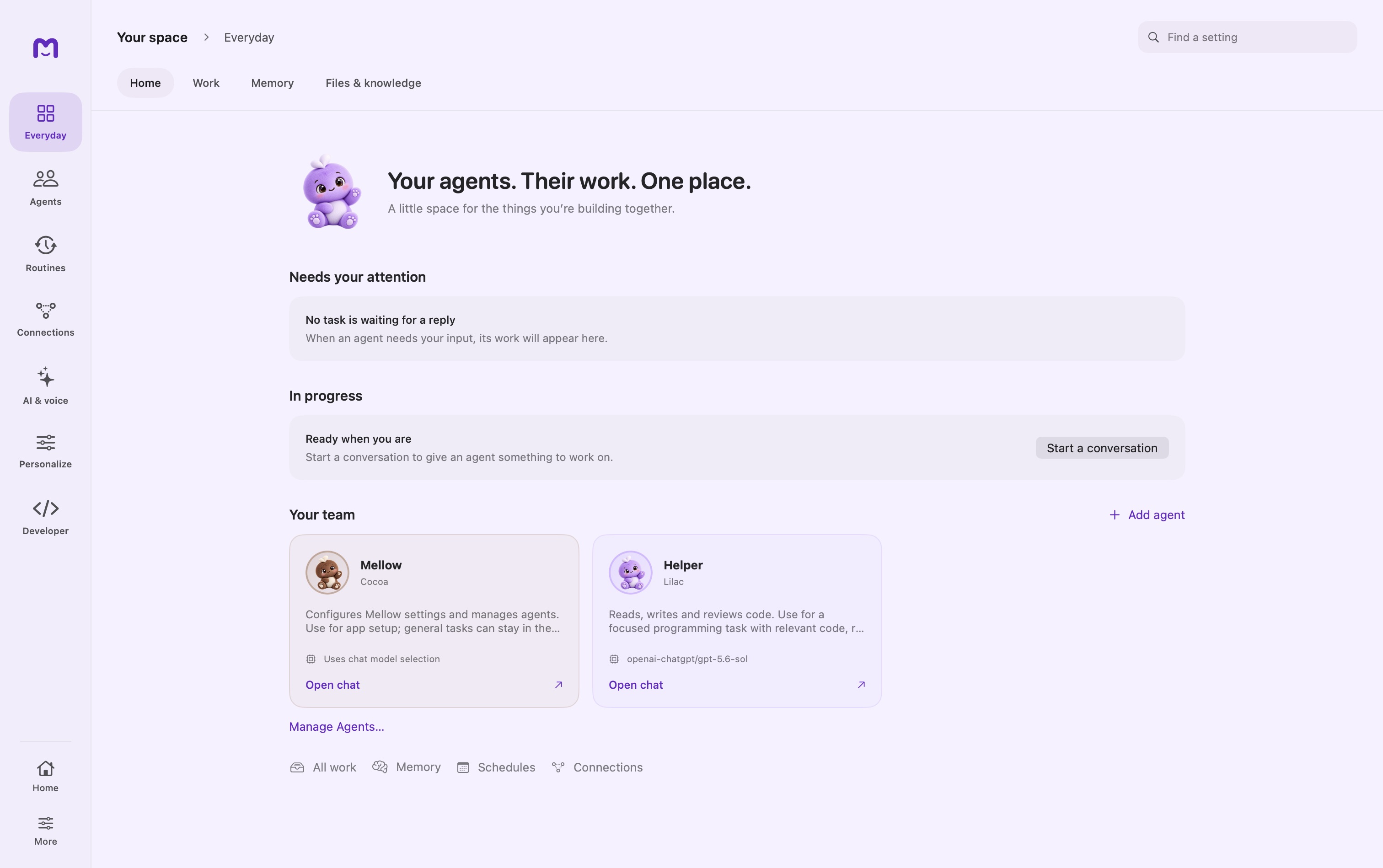
Mellow for Mac home screenApple silicon · Latest published Mac release
OPTIONAL / CONNECTED MODE

Mellow Cloud

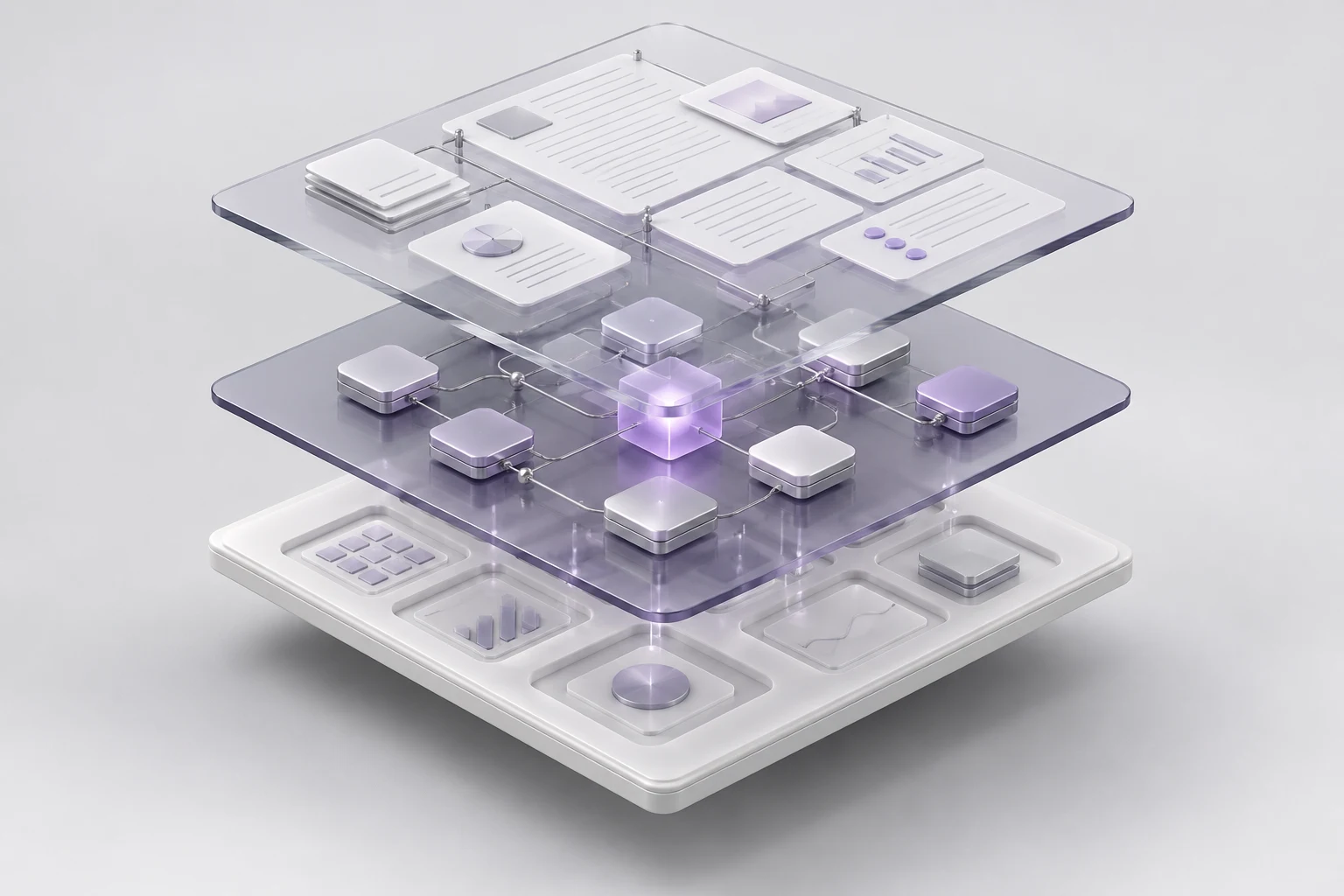
Use Mellow as the interface to published agents in a connected workspace. Give direction and follow the work from the same app. Access to the workspace and network connectivity are required.

Concept illustration of connected workspace layers: shared context, agents, and workSet up Mellow Cloud Workspace access and published agents required.
ONE PLATFORM. DIFFERENT WAYS TO INTERACT.

The form can change.
The work should continue.

Explain what you need, add the relevant context, and inspect the agent’s response. Move from conversation to files, task activity, and review without losing the thread. The interface should make each action understandable.

We’re building on a native agent workspace, real-time avatars, signal-processing tools, and EEG acquisition work. Our ambition is to connect spatial, non-invasive neural, and subvocal interfaces to the same ongoing task. The native EEG SDK is a development preview; broader Signal tooling is planned for Mellow SDK 1.2.x.

FEEDBACK AND HUMAN CONTROL

See what your agent does.
Decide what happens next.

An interaction should lead to a clear response. Follow progress, inspect the output, and find the decisions that need you. The preview below illustrates how that feedback could look.

Build your first routine
Mellow companion wearing the lilac Mellow beanie
While you were awayInteractive example
Sample workflows · configured tools and access required
APPLICATION AREAS

At your desk.
In the lab. In the workshop.

Mellow is the workspace we are building for personal projects and planned specialist applications. It brings interaction, working context, and permissions into one experience, built on Visca.

The scenarios below illustrate possible workflows. Local integration and hardware requirements must be evaluated separately for labs, machines, and spatial interfaces.

Give it context. Leave it a responsibility.

Routine work can move without another prompt. Set the scope once, then hear about results, exceptions and useful changes.

The brief is ready before you think to ask.

A configured routine brings the new brief and prior notes together, so the next meeting starts with the changes and open questions.

MellowExample notification

Your meeting brief is ready.

  • What changed since the last draft
  • Decisions still open
  • Questions worth asking

Prepare a private brief. Sending it to attendees or changing an event is a separate action.

Illustrative workflow · Requires configured files, agent and schedule. All examples use sample data.

SPATIAL COMPUTING / RESEARCH PREVIEW

Beyond the screen.
Closer to the interaction.

Mellow Cap explores deliberate wearable input and audio feedback. Mellow Glasses explores spatial interaction around the world in front of you. Both belong to the planned Visca devkit family, with hardware and sensing still under development.

Explore the devkits Planned shipping Q2 2027. Timing and capabilities may change.
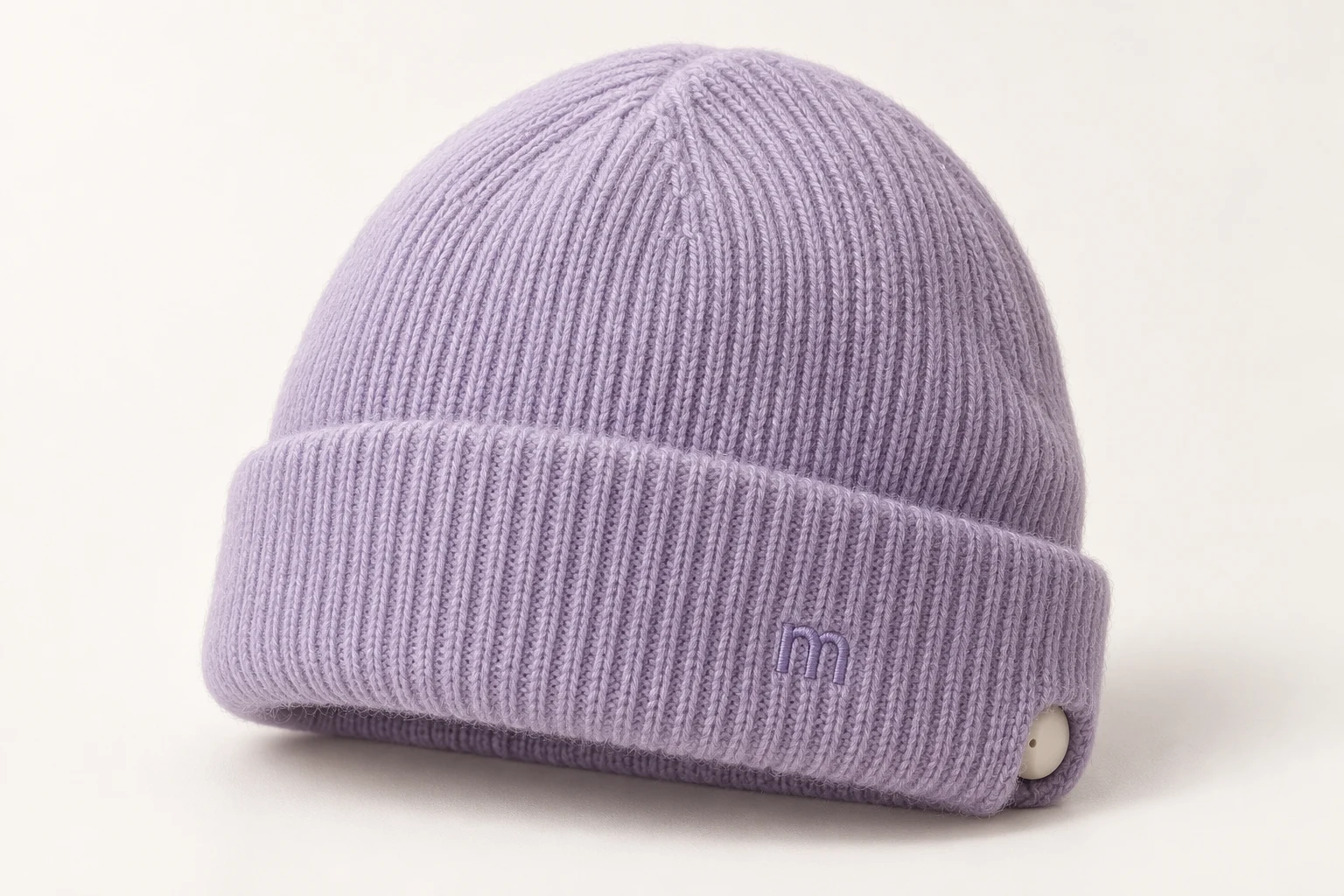
Lilac Mellow Cap beanie concept

MELLOW GLASSES / DESIGN PREVIEW

A familiar frame.
Privacy you can see.

Explore three frame directions with a physical camera cover, then look inside the proposed hardware. Built around the Mellow palette and Visca’s interaction foundation.

Devkit planned for Q2 2027
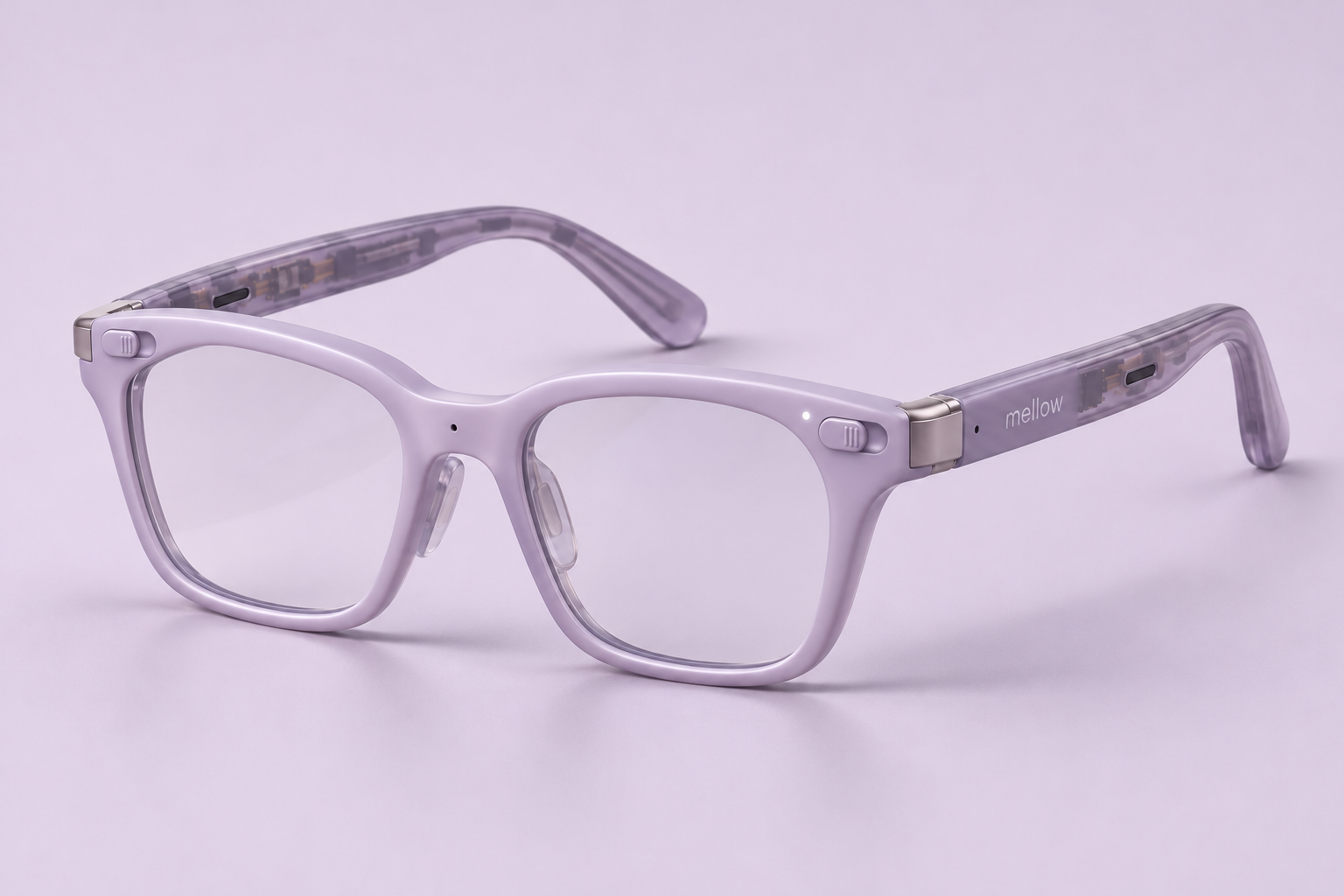
Mellow Glasses everyday rectangular lilac frame concept with clear lenses and translucent temples
01 / Everyday frameConcept render. Final hardware may differ.

An everyday shape. A new interaction.

A softly rectangular frame in Mellow lilac, with translucent temples and restrained metal hinges. The design puts a physical camera cover first, shown closed by default. A deliberate action opens the cover; the indicator is additional feedback, not a substitute for the cover.

WHAT DEVELOPERS COULD PROGRAM

From a human input
to an agent response.

Explore the intended interaction. These controls describe a design direction and do not connect to a device.

A camera cover you can see and close.

A physical opaque cover is the camera privacy design requirement. Keep it closed by default and make opening it deliberate. Camera permission, microphone controls, recording indicators, and data retention must each remain explicit.

Industrial design concepts, not finalized specifications. Sensors, optics, audio, compute, and connectivity remain subject to engineering validation.

Devkit availability

MELLOW GOGGLES / DESIGN STUDY

Bring your agent
alongside the work.

A new wearable concept for laboratories, workshops, and hands-on environments. Explore an enclosed form, physical privacy controls, and optional modular input in the Mellow hardware family.

Concept exploration · Availability not announced
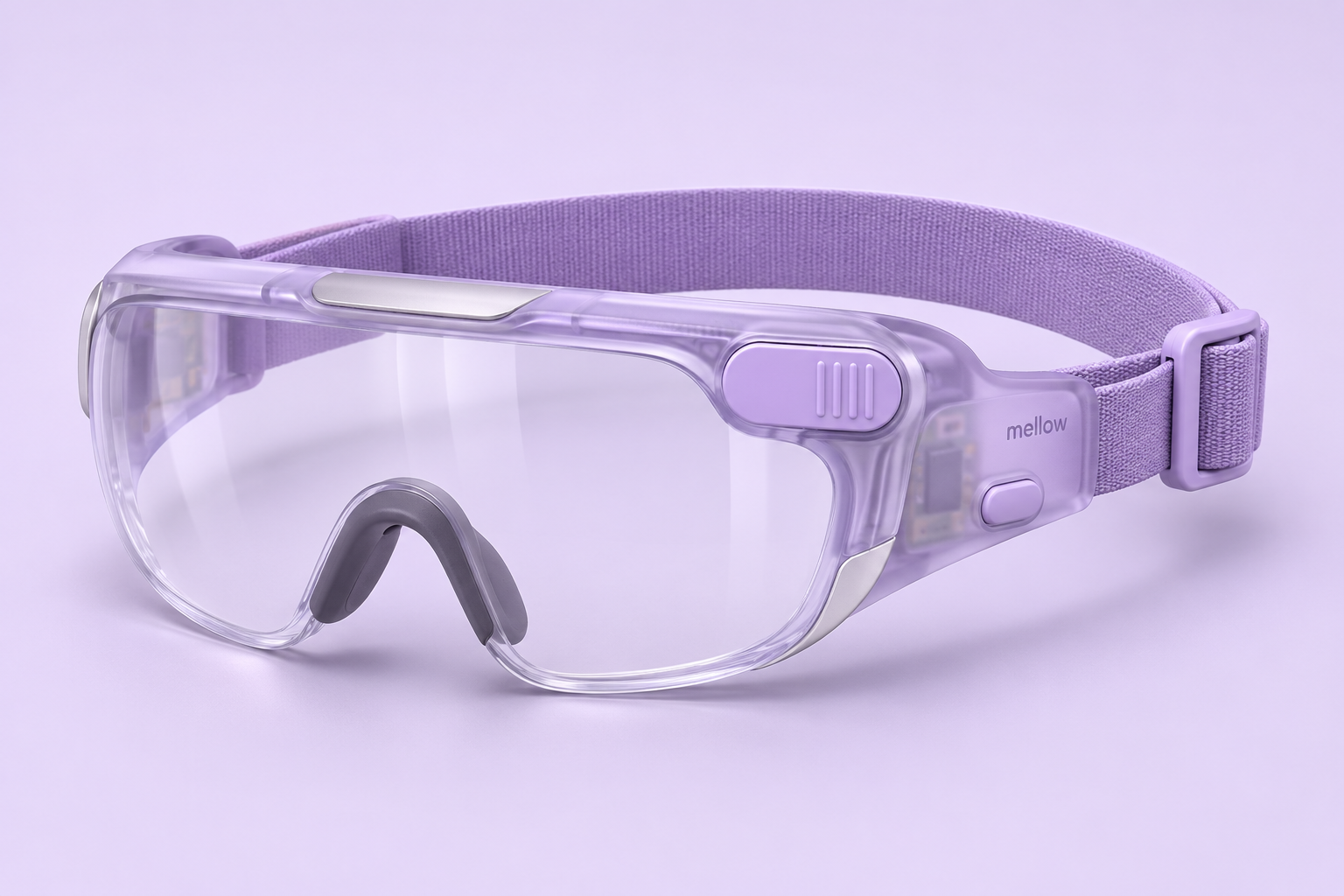
Mellow Goggles exterior design concept with a translucent lilac frame, wraparound visor, strap, and closed camera cover
01 / ExteriorIndustrial design concept. Final hardware may differ.

Keep your attention on the work.

A wraparound visor, adjustable strap, and tactile controls explore an interface for hands-on tasks. The Mellow palette carries into a more enclosed form for labs and workshops. The physical camera cover is shown closed.

ILLUSTRATIVE APPLICATIONS

Different places.
The same human authority.

Express a task, inspect the interpretation, and decide what the agent may do. These examples describe possible experiences, not connected device functions.

Stay with the experiment.

Explore step-by-step protocol guidance and deliberate observation capture. Review an agent’s proposed lab-record update before saving it.

Goggles are a design study, not certified protective eyewear or a shipping devkit. Impact, chemical, optical, fit, and workplace suitability require separate testing. The Q2 2027 target for Glasses and Cap does not establish a Goggles release date.

Discuss a hardware project
MELLOW CAP / LIMITED PREVIEW

Mellow Cap.
Explore wearable input.

A wearable interface direction for Visca. Explore deliberate input, audio feedback, and the path from a sensed signal to a confirmed agent action. The beanie, baseball cap, and sports cap are design studies.

Limited preview. Planned shipping Q2 2027. Explore the styles, then take a closer look inside.

STYLES / BEANIE · BASEBALL · SPORT
Original lilac knit Mellow beanie concept photographed against a clean studio background
Original product concept · Materials and construction remain under evaluation.

Technology, tucked into something familiar.

Fine knit on the outside. A proposed removable sensing liner within. The everyday form leads the design.

01

Outer knit

A soft textile shell sets the familiar silhouette. Its folded outer band conceals a proposed curved electronics carrier.

02

Flexible support

A proposed carrier would locate and support the liner.

03

Sensing liner

A dense field of small contacts is explored within one conformal textile lining.

04

Comfort band

A continuous soft head-facing band separates the wearer from the electronics in the outer fold. Pressure, heat and fit still need prototype testing.

01 / CONCEAL

A familiar silhouette.

Choose a familiar silhouette with a proposed sensing carrier beneath the fabric. Clean on the outside, with contact and fit still to resolve inside.

02 / LISTEN

Leave your ears open.

Slim adjustable arms extend from the outer band to small bone-conduction contacts on the cheekbones, in front of the ears. The ear canals stay uncovered in the concept; contact force, fit and audio performance still need validation.

03 / CONTINUE

Keep Mellow close.

The intended loop connects a deliberate command to your agents, then brings back a clear result.

How Mellow Cap could connect to your agents
THE PROPOSED SYSTEM

From signal to useful work.

Explore six layers of the intended experience.
The diagram describes a software flow, not a physical circuit design.

SYSTEM ANATOMY / 06 LAYERS
FEEDBACK06MELLOW AGENTS05INTENT & CONTROL04PERSONAL CALIBRATION03SIGNAL QUALITY02SENSING01
EXPLODED / CONCEPTUAL ARCHITECTURESignal → intent → action
04 / CONFIRM

Your intention sets the direction.

A recognized command would map to a choice you have configured, such as opening a brief or pausing a routine. Ambiguous input would not authorize an action.

Input
A candidate command
Output
An explicit, permitted request

Research questionProvide confirmation, cancellation and an always-accessible pause control.

MADE FOR YOUR EVERYDAY

Stay in your flow.

The idea is simple: a deliberate input, a useful action, and a clear response from Mellow. Explore what that could feel like.

ILLUSTRATIVE FLOW / NOT A LIVE DECODER
  1. 01 / YOU

    Open my morning brief

    A deliberate, calibrated input mapped to this command.

  2. 02 / CONTROL

    Recognize. Review. Accept.

    Uncertain input stays idle. Confirm the intended command before handing it to an agent.

  3. 03 / MELLOW

    Continue the work.

    Mellow would open a prepared brief from your chosen project context.

Read-only access to the brief you selected.
Mellow Cap is in concept development. These illustrations explore possible designs, not available hardware. Sensing, comfort and control still need validation; availability is planned for Q2 2027, with timing subject to change.

A few good questions.

How does Mellow relate to Visca?

Visca is the developer platform. Mellow is its personal and development workspace and SDK. Use the workspace to work with agents, or build your own interfaces around the platform’s context, tools, and permissions. Wearable experiences remain in development.

Is Mellow free?

Mellow is free forever for personal use. There is no additional Mellow software fee for local or private deployment, or for configuring fully offline workflows. Hardware, third-party APIs, optional hosted services, and managed enterprise support may have their own costs.

Does ready-made mean no setup?

The interface is assembled for you. You still choose models, configure tools, grant access, and connect a workspace when needed. Existing systems may require integration work.

Can every Mellow feature work air-gapped?

There is no extra Mellow software fee for configuring an air-gapped workflow, but every selected dependency must work locally. Cloud workspaces, remote providers, web search, and external integrations require connectivity. Validate local models, tools, assets, and services for the complete workflow.

What can I use today?

Start with Mellow for Mac. Connect your Cloud workspace when you have access and published agents configured. Mellow Cap is a limited design preview, with availability planned for Q2 2027.

Will Mellow keep working while I’m away?

Configured schedules and folder watchers can start permitted work without another prompt. Your local Mac must stay awake and available. Cloud tasks depend on the agents and services in your workspace.

Do I need Mellow Cap?

No. Mellow for Mac and Mellow Cloud are the starting points. The cap explores an additional way to interact with the same ecosystem.

What does limited preview mean?

You can explore the proposed styles, materials and sensing direction here. This is not a hardware order or a promise of working thought decoding. Fit, sensing and the complete interaction still need validation.

Meet your agents
through Mellow.

Start with the Mac interface today. Explore spatial and wearable interaction through the planned devkits. Mellow software is free forever for personal use; hardware is separate.

Built on Visca. Free forever for personal use.

Get the agent interface
for your Mac.

Mellow for Mac
For Apple silicon Macs (M1 or newer).

View available downloads

We couldn’t check the latest build. Choose a download on our releases page.

  1. Open the downloaded Mellow disk image.
  2. Drag Mellow into Applications.
  3. Open Mellow from Applications to get started.
Release notesThe website examples use sample data; the download installs the Mellow app.